ATRIUMA ·
What’s new in Backoffice: regional search, calendar alerts and rental estimates
A redesigned property search, multiple areas on the map, calendar reminders, optional photo categories and richer cadastral passports — now with an indicative monthly rental estimate.
We have updated ATRIUMA Backoffice to make everyday agency work easier, from the first property search and arranging a viewing to researching a property and discussing its rental potential. The update brings clearer filters, regional selection on the map, calendar alerts and more information in the cadastral passport.
Faster property search
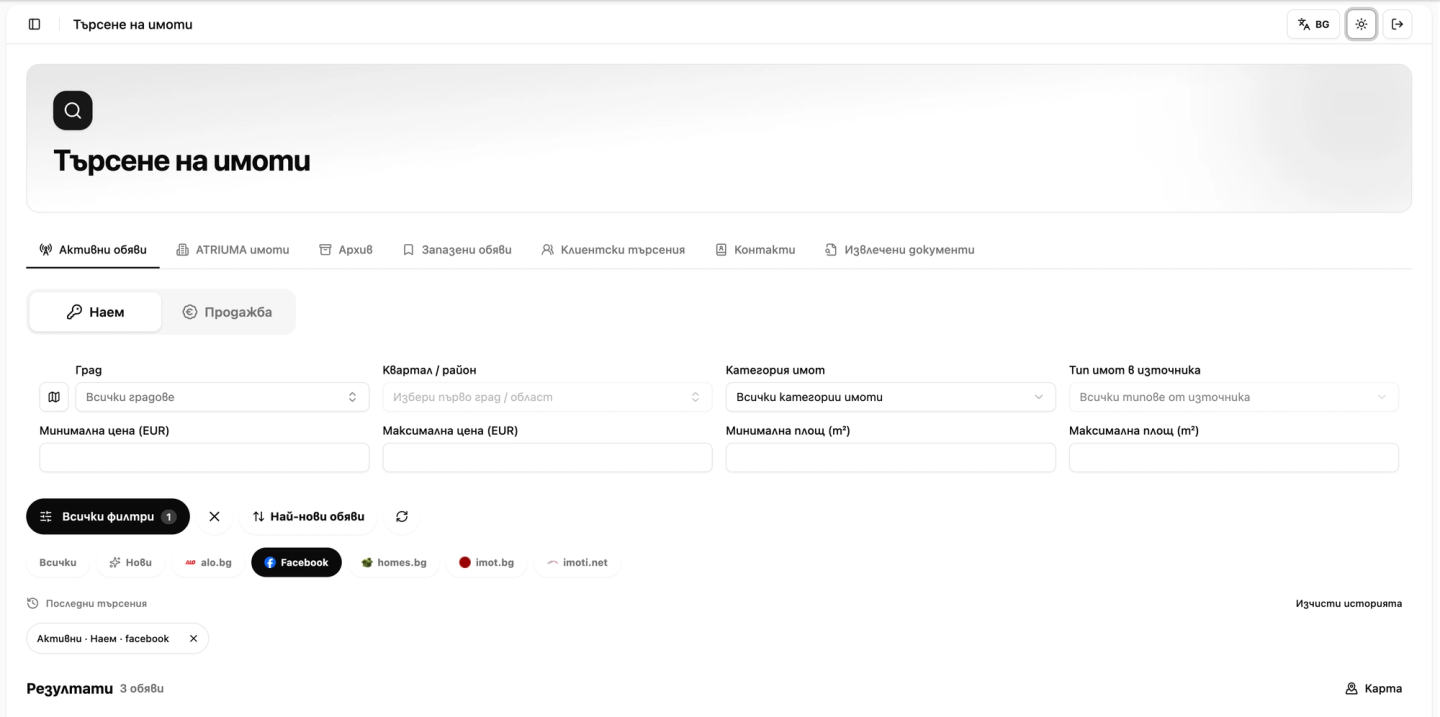
The redesigned page puts the main criteria within easy reach: rent or sale, city, neighbourhood or area, property category, price and floor area. All filters opens the additional options, while source selection and newest-first sorting help you navigate the results.
The same approach is available when creating a client search. If the client is not yet in your contacts, you can add them on the spot with a name; a phone number is optional. Save their requirements without interrupting your work to complete a separate form.
Search across several areas on the map
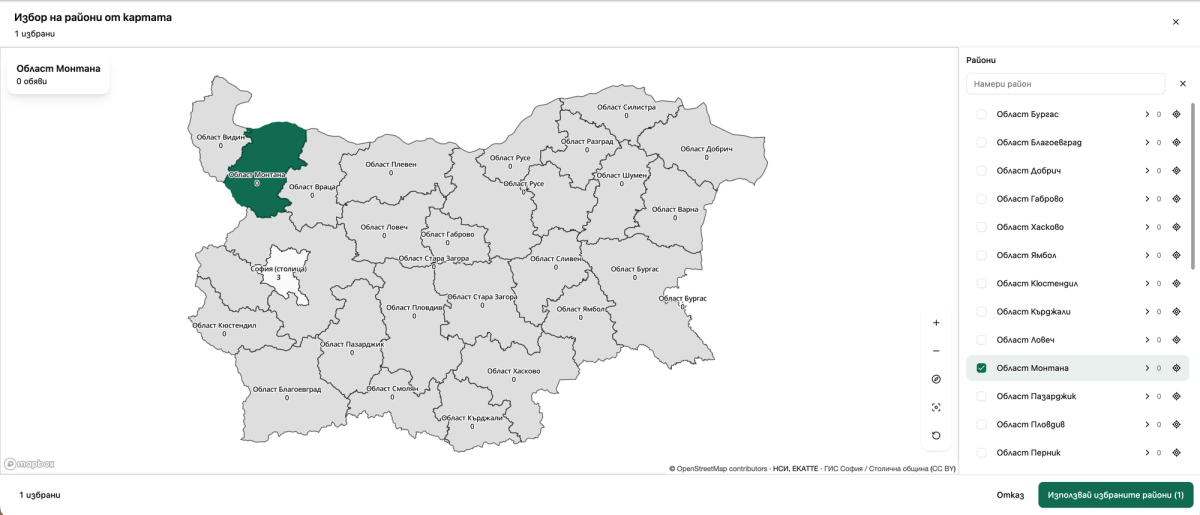
You can now combine several regions, municipalities or settlements in one search. Clicking an area selects it, while zooming remains a separate action. The hierarchical list lets you expand a region or municipality and choose the places that matter to your client.
The selection count appears in the dialog and on the Use selected areas button. Open the counter to review the full list before applying it. This is useful when a client is considering neighbouring districts or several different towns.
Calendar reminders and invitations
For appointments and viewings, choose reminders at the start time, 15 or 30 minutes beforehand, one hour before or one day in advance. Separate notification options let you decide how colleagues and external participants should be informed.
The calendar offers SMS notifications for colleagues and participants with a phone number, as well as email invitations. Invitations can include a personal response link to accept, suggest another time or decline; email invitations also include an invite.ics calendar file. Channel availability depends on the contact details provided and the enabled settings.

Upload photos without choosing a category
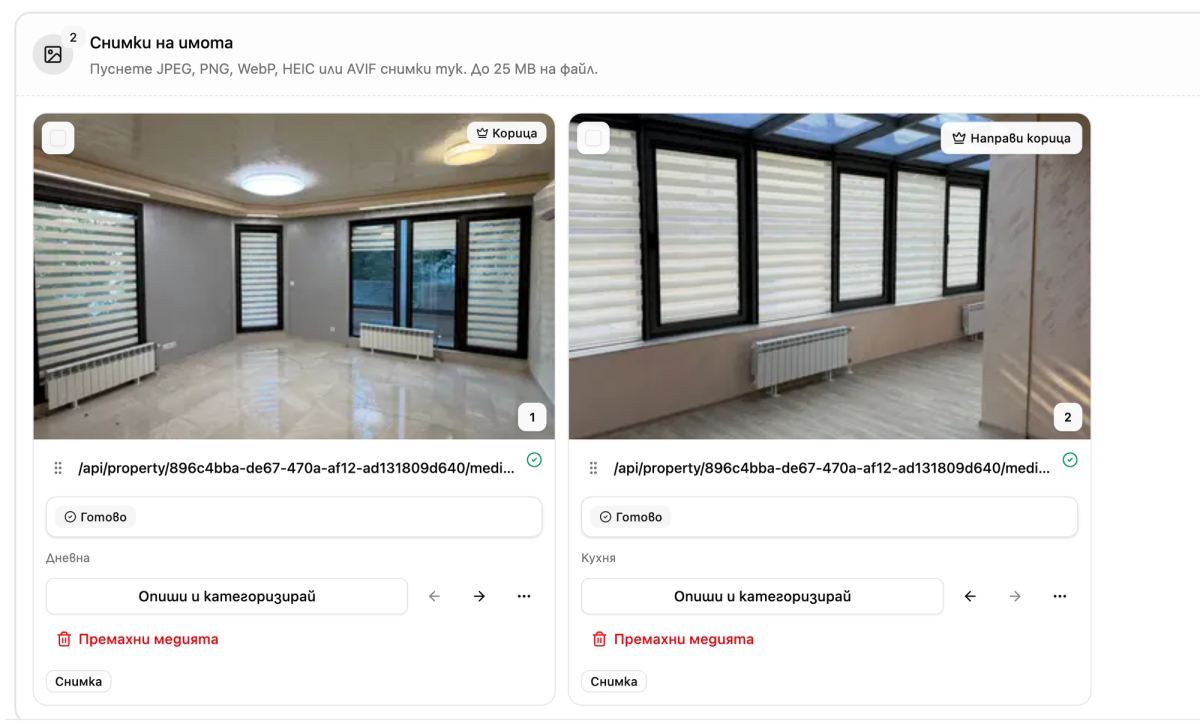
A category is no longer mandatory when uploading one photo or a batch. Press Done and continue with the photos uncategorized. Descriptions and categories remain available whenever you are ready to add them.
When the category dialog opens, the search field receives focus. The first result is highlighted to help you navigate, but it is not saved as the category unless you choose it. Once you select a category manually, typing in the search field does not replace your selection.
More context in the cadastral passport
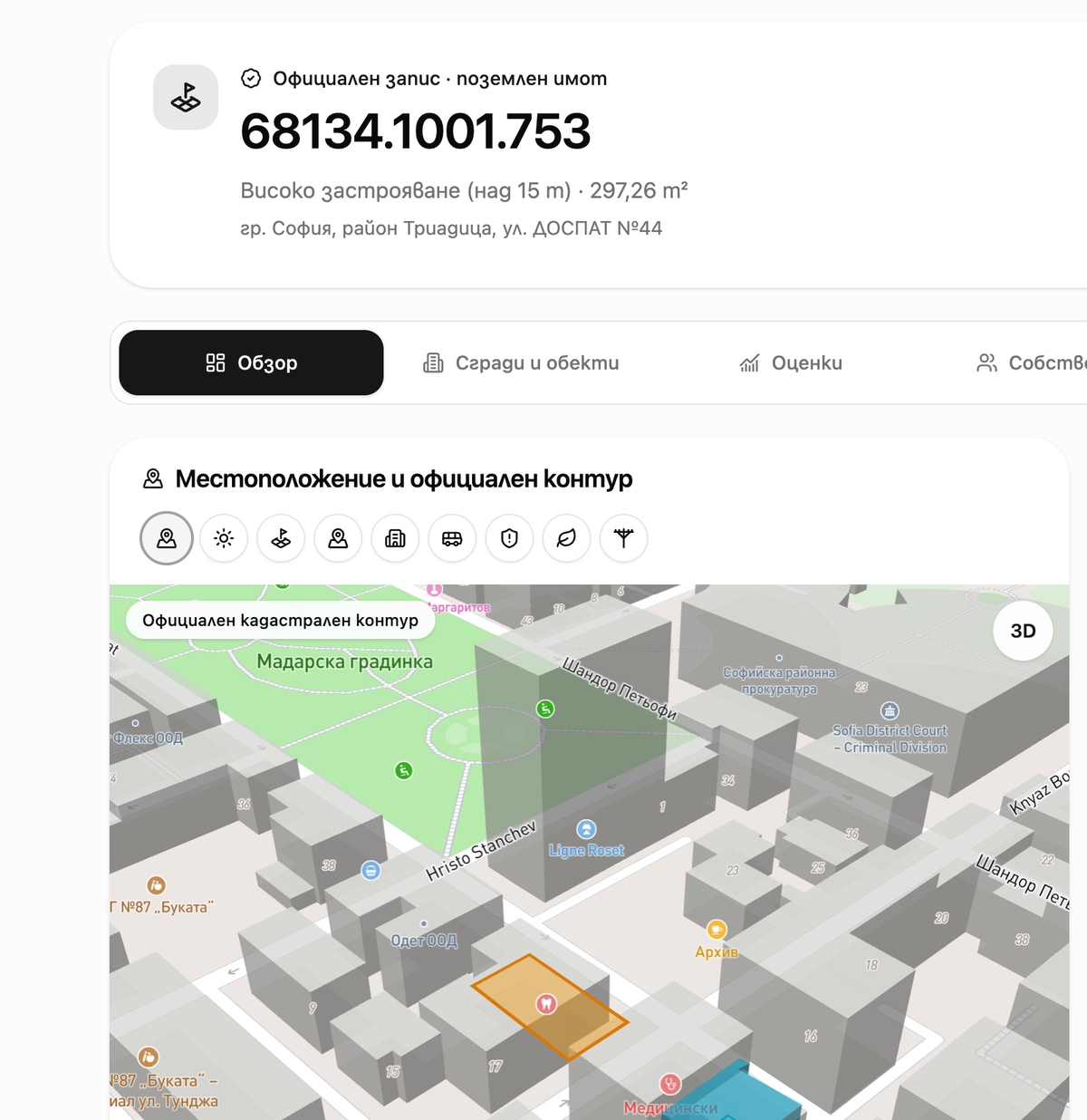
The cadastral passport brings together the official boundary, property records and additional map context. New options and layers make it easier to explore the surroundings, while the 3D view helps you understand the property’s position among neighbouring buildings.
Switch between the available layers and use the relevant sections to explore buildings, individual units and valuations. Coverage depends on the area and source; the additional map context does not alter the official cadastral records.
An indicative monthly rent from comparable listings
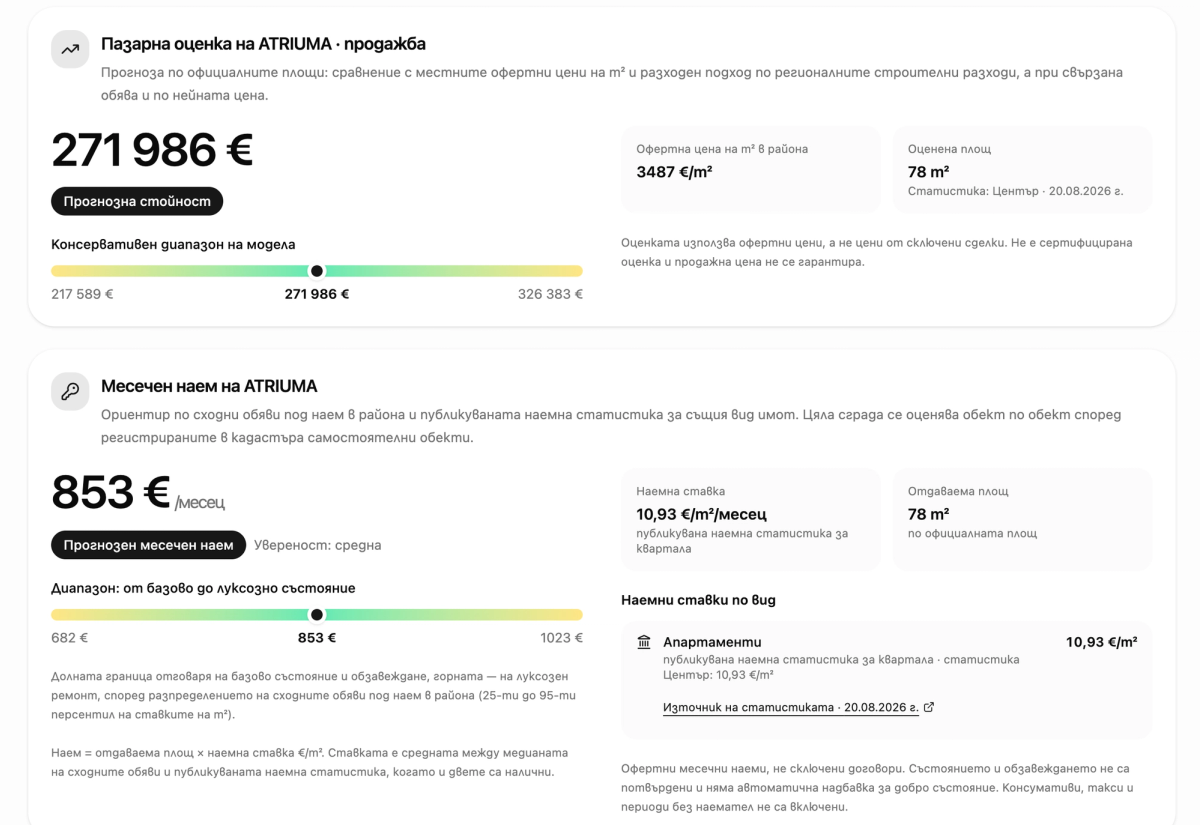
Valuations now include a monthly rental estimate. It draws on similar rental listings in the area and published rental statistics for the relevant property type, where data is available. The view shows the estimated rent, the floor area and rate per square metre used, a range and information about the source.
This provides a starting point for a conversation with an owner or investor and for comparing the rental potential of different properties. It uses asking rents rather than signed tenancy agreements. It is not a certified valuation or a guarantee of income; condition, furnishing, costs and vacancy periods still need to be assessed separately.
These improvements are available in Backoffice on the web, including mobile browsers. Start with your client’s search areas, then move on to viewings and property research with more of the information in one place.