ATRIUMA ·
Bots in Backoffice: an assistant for your website and chat platforms
Create a bot for your agency's website or for WhatsApp, Messenger, Instagram and Telegram, and manage all of them from one list.
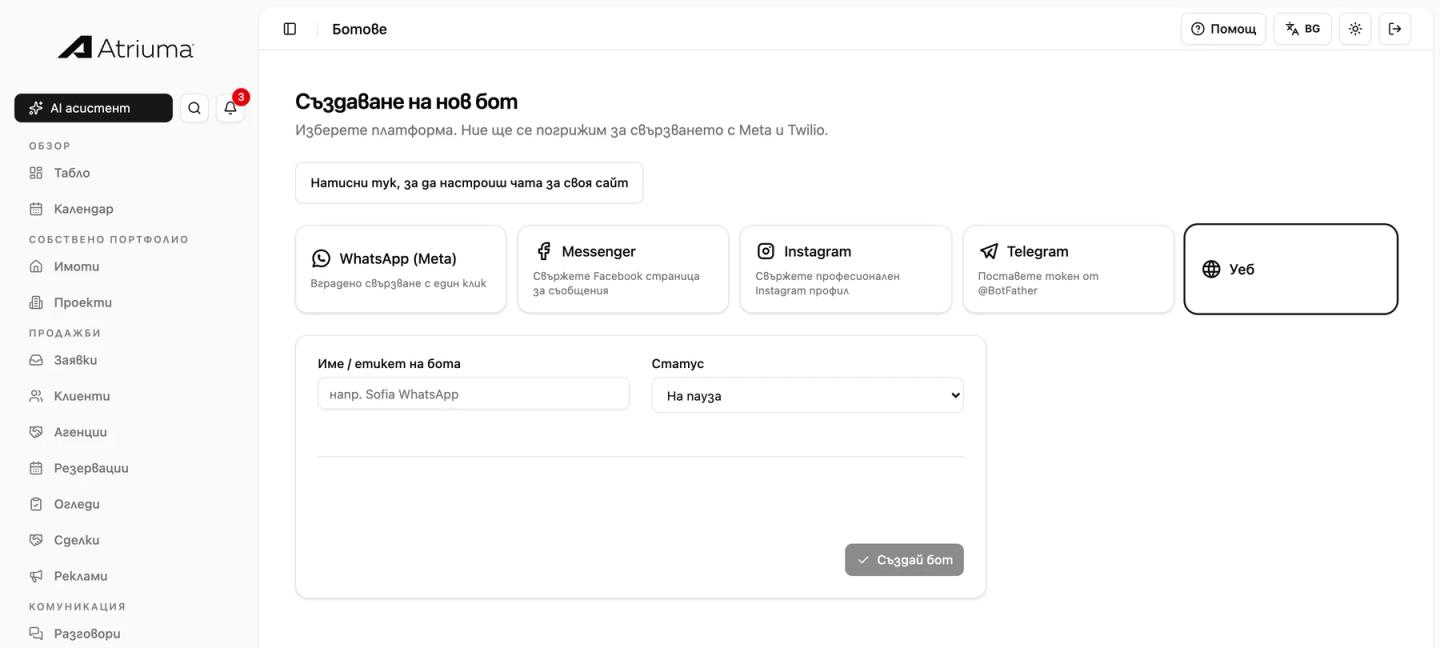
Bots answer your clients' first questions when you are not online. In Backoffice you create and manage them yourself, with no developer needed.
A new bot in minutes
Choose the platform: WhatsApp, Messenger, Instagram, Telegram or a web chat for your own site. Name the bot and decide whether it starts right away or stays paused. Connecting to Meta and Twilio is built into the steps.
One list for every bot
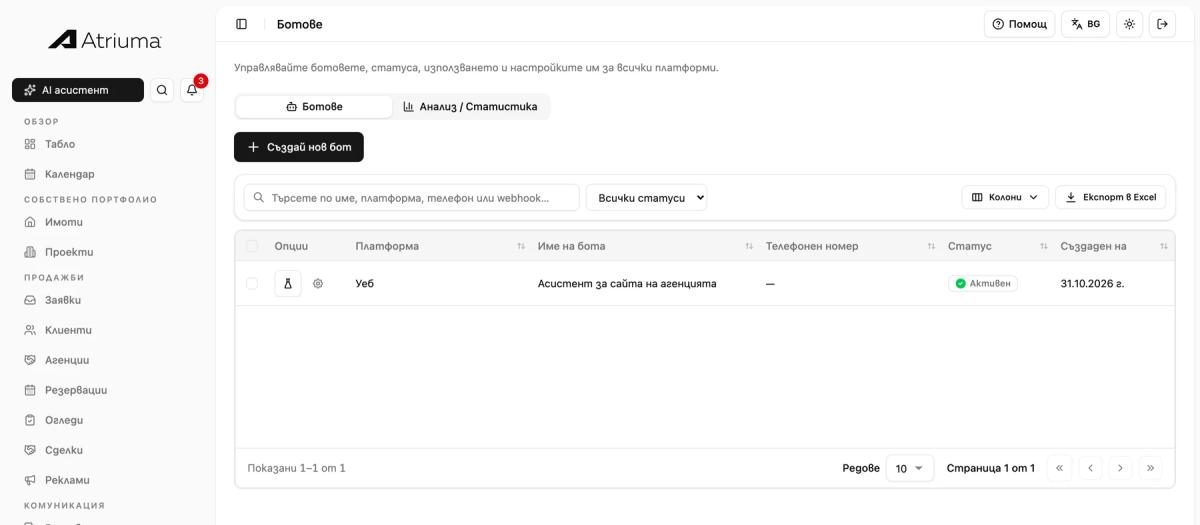
You see each bot's platform, name, phone number, status and creation date. Search by name, platform or phone, filter by status and export the list to Excel. The “Analysis / Statistics” tab shows how they are used.
Conversations in one place
As soon as a client writes to one of the bots, the conversation appears under “Conversations”. A broker can take over at any time and continue in person.
Where to find it
Communication → Bots in the Backoffice menu.
The screens in this article are current as of November 2026 and show sample data.