ATRIUMA ·
Clients, viewings and deals: the CRM in Backoffice
See what each client is looking for or offering, plan the next contact and follow viewings and deals through to the commission.
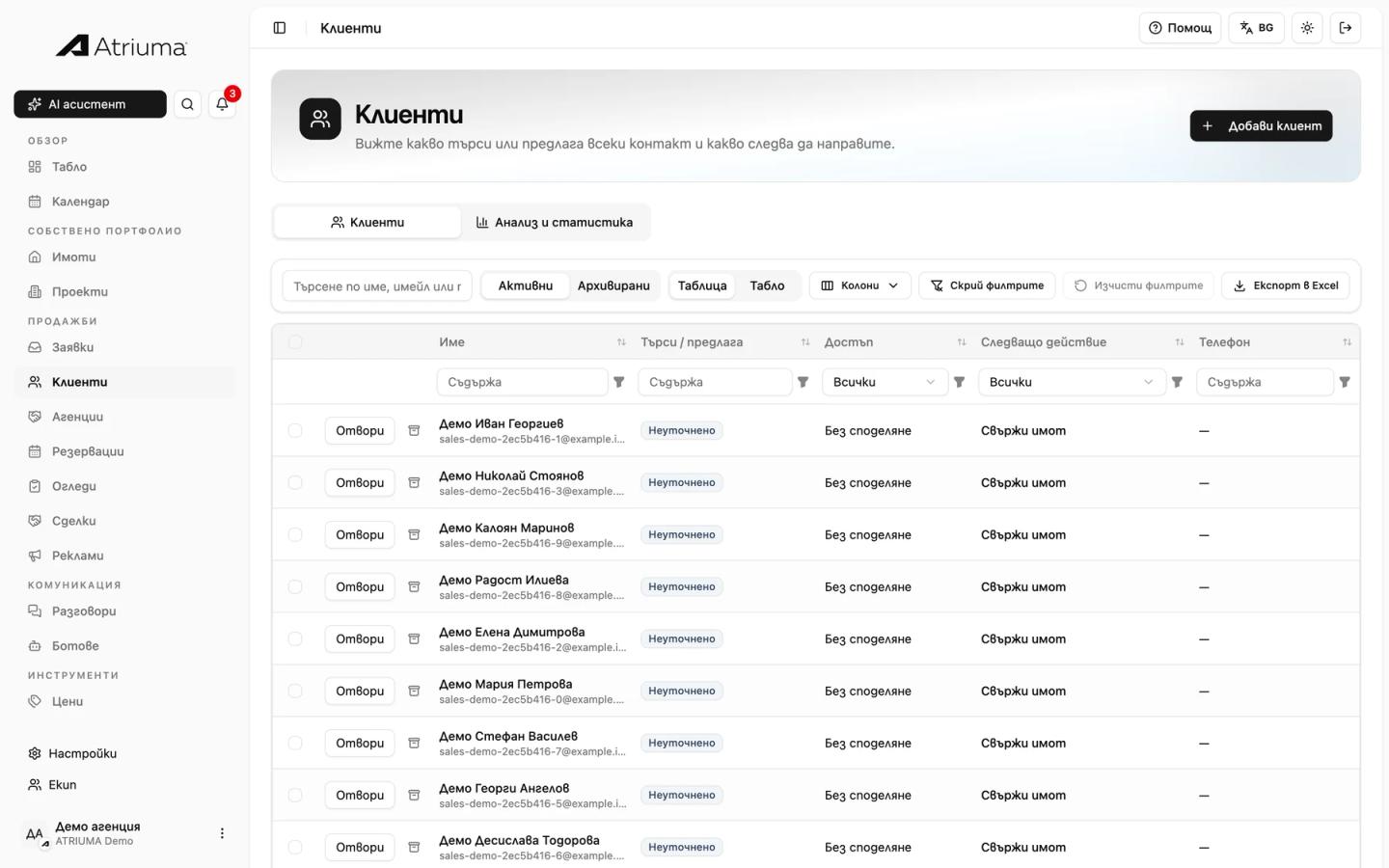
The CRM part of Backoffice keeps the client, the viewing and the deal together, so nothing depends on someone's memory.
Clients with what they are looking for
For each contact the list shows what they want or offer, who has access and what you should do next. Filter by column, switch between table and board, and export to Excel.
The client profile
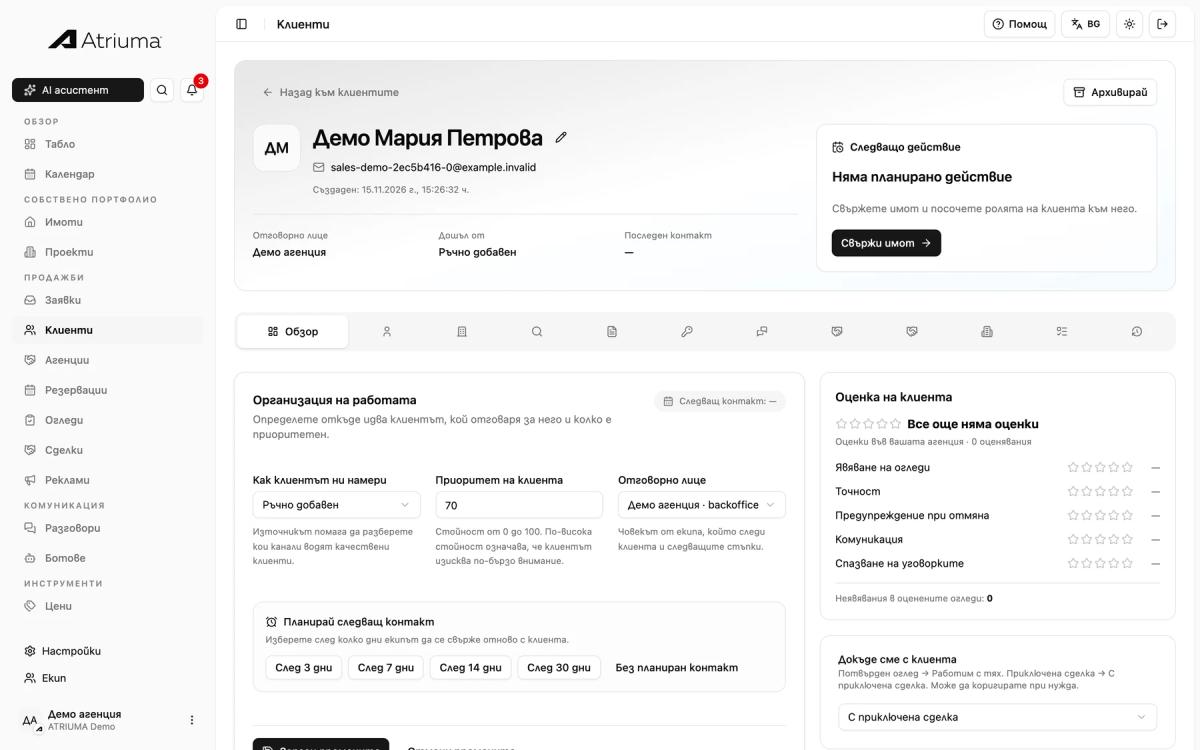
In the profile you record how the client found you, their priority and the responsible person, and plan the next contact in 3, 7, 14 or 30 days. After viewings you rate attendance, punctuality and communication.
Viewings
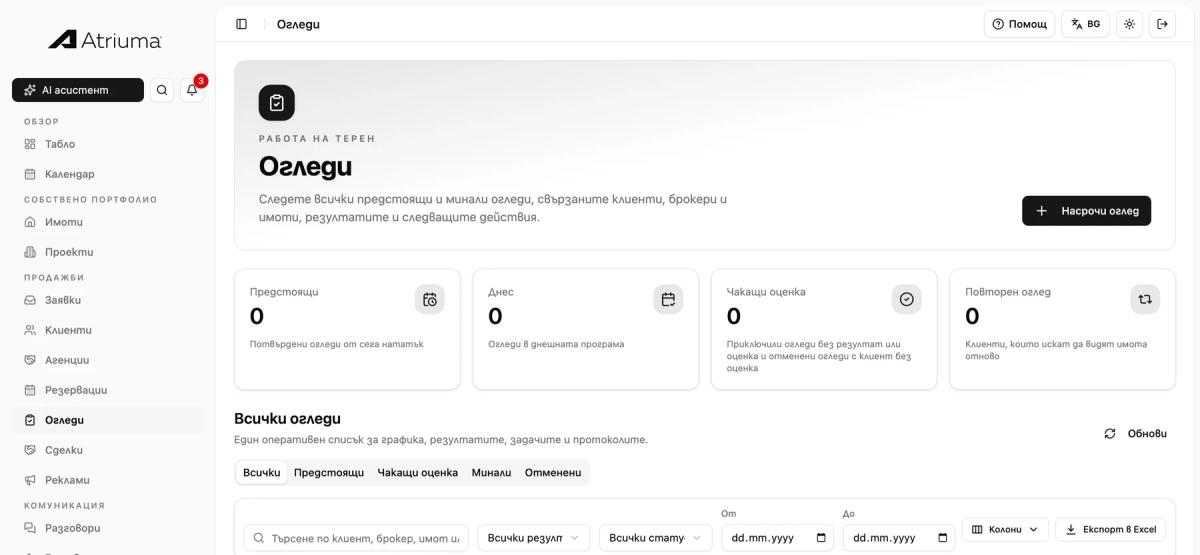
You see upcoming viewings, today's, those awaiting a rating and the clients who want a second viewing, with the broker and the property attached.
Deals
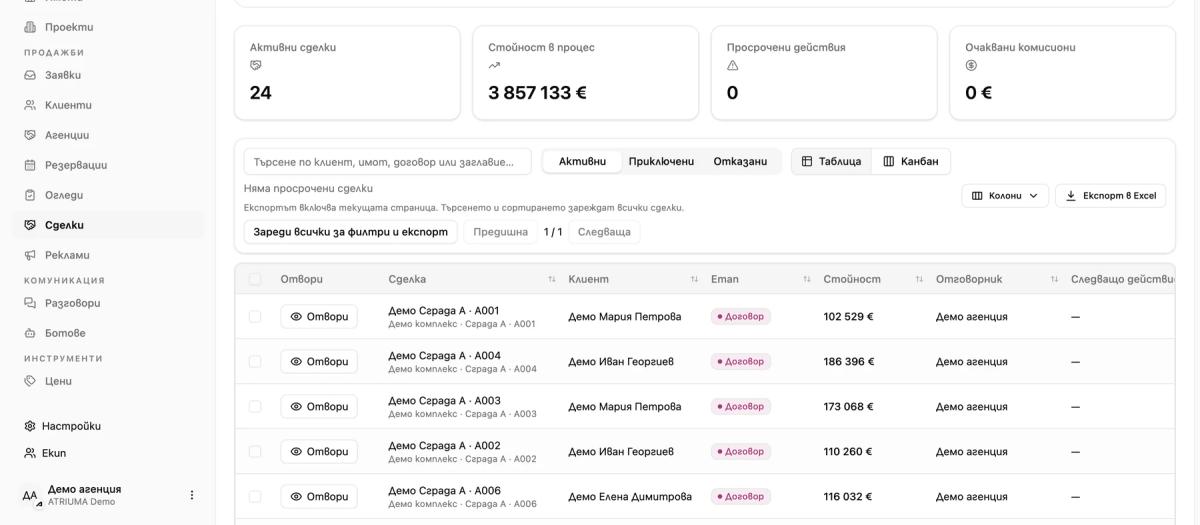
Follow active deals, the value in progress, overdue actions and expected commissions. Work in a table or a kanban board, from the offer to the payment received.
Where to find it
Sales → Clients, Viewings and Deals in the Backoffice menu.
The screens in this article are current as of November 2026 and show sample data.